

Key Features to Look for in Simple Invoicing Software
When looking for simple invoicing software for small business, some features are a must. These tools should make your billing easy. They also need to handle payments well.
Core Invoicing Functionality
Focus on the basics that truly matter. These functions make invoicing possible. They keep things running smoothly.
Invoice Creation and Customization
The software must let you make invoices fast. You should be able to add essential details. This includes line items, taxes, and discounts. Customization like adding your logo is also important. It makes each invoice uniquely yours.
Client Management
You need a simple place to store client info. This includes their contact details and past payments. Good software helps you track their buying habits too. This makes creating new invoices for them quick and easy.
Product/Service Catalog
Do you sell the same items or services often? Simple invoicing software lets you save them. You can pre-define common products. Then, just select them to add to an invoice. This speeds up invoice creation a lot.
Payment and Financial Management
Good simple invoicing software helps you get paid. It also gives you basic financial insight. Look for these money-related features.
Multiple Payment Gateway Integrations
Offering various payment methods is smart. The software should link with common options. Think Stripe, PayPal, or Square. These connections make online payments simple for your clients. This means fewer obstacles to getting paid.
Recurring Invoices and Subscriptions
For clients you bill regularly, this is key. You can set up automatic billing for them. The software sends invoices on a schedule you pick. This handles retainers or subscription services with ease. It removes repeat work.
Basic Reporting and Analytics
You need to know how your money is doing. Simple invoicing software offers basic reports. You can track income. You can see outstanding invoices. It also shows you client payment trends. This helps you make smart business choices.
Usability and Accessibility
The best software is easy for anyone to use. You do not need to be a tech expert. Look for tools that are friendly and ready when you are.
Intuitive User Interface (UI)
A clean design means less confusion. The software should have a clear dashboard. You should find what you need without searching. An easy-to-use interface saves frustration and time.
Mobile Accessibility (App or Responsive Design)
Sometimes you need to invoice on the go. Can you use the software on your phone? A good mobile app or responsive design helps. You can send invoices from anywhere. This keeps your business moving, even when you are out.
Customer Support and Resources
Even simple tools sometimes need help. Check for good customer support. Look for tutorials and helpful guides. Quick and clear support makes a big difference. It helps you get answers when you need them most.
Choosing the Right Simple Invoicing Software for Your Business
Picking the best simple invoicing software takes a little thought. You need to find a tool that fits your specific business. Do some homework to make a smart choice.
Assess Your Specific Business Needs
Before you look at options, think about what you do. Your business is unique. Its needs will be too.
Volume of Invoices
How many invoices do you send each month? A solo freelancer might send a few. A small agency sends many more. Some software plans limit invoices. Pick one that can handle your current and future needs.
Types of Clients and Payment Preferences
Who are your clients? Are they other businesses or individuals? Do they prefer credit cards, bank transfers, or other ways to pay? Make sure the software supports their preferred payment methods. This makes their lives easier, and yours.
Budget and Pricing Models
How much can you spend? Some simple invoicing software is free for basic use. Others use subscription fees each month. Some might charge a small fee per transaction. Understand these models to find what fits your budget best.
Compare Popular Options and Read Reviews
Once you know your needs, start looking around. There are many good choices out there. Learn from what others say.
Research Leading Software Providers
Many providers offer simple invoicing solutions. Some are standalone tools. Others are part of bigger accounting systems. Search for companies known for helping small businesses. You can find good review sites or industry guides online to help you compare.
Utilize Free Trials and Demos
Seeing is believing. Most simple invoicing software offers a free trial. Use these trials to test the features. See how easy it is to use. Try sending a test invoice. This hands-on experience is very valuable.
Consider Scalability
Will the software still work as your business grows? You do not want to switch tools every year. Look for options that can grow with you. This saves you time and effort down the road.
Actionable Tips for Maximizing Invoicing Software Benefits
Getting simple invoicing software is just the first step. To truly gain from it, use it smartly. Here are some ways to get the most out of your new tool.
Streamlining Your Invoicing Workflow
Make invoicing a smooth, quick part of your day. This helps your whole business flow better.
Set Up Recurring Invoices for Regular Clients
If you bill the same clients often, automate it. Configure recurring invoices for retainers or ongoing services. The software will send them without you needing to remember. This saves you a lot of manual work.
Customize Invoice Templates with Your Branding
Make your invoices look great. Add your logo, brand colors, and contact info. A consistent, professional look builds trust. It reinforces your brand with every bill sent. This small detail leaves a big impression.
Integrate with Your Chosen Payment Gateway Immediately
Do not wait to connect your payment options. Link the software to Stripe, PayPal, or whatever you use. Make it super easy for clients to pay you. The fewer steps they have, the faster you get your money.
Improving Payment Collection and Management
Getting paid promptly is a top priority. Use your software to make this process as efficient as possible.
Clearly State Payment Terms and Due Dates
Every invoice needs clear terms. Use the software to highlight due dates and payment methods. Clarity on every invoice reduces confusion. It encourages clients to pay by the deadline.
Schedule Automated Payment Reminders
Set up your software to send reminders for upcoming or overdue payments. A gentle email reminder often works wonders. It helps collect money without you doing extra work. This keeps your cash flow healthy.
Reconcile Payments Regularly
Keep your financial records up-to-date. As payments come in, mark invoices as paid in your software. Regular reconciliation gives you a clear picture of your finances. This helps you track what is owed and what is in the bank.
Leveraging Software for Business Growth
Your invoicing software is more than just a billing tool. It can offer insights that help your business grow.
Analyze Your Financial Reports
Look at the basic reports your software provides. Understand your revenue streams. See which clients are most profitable. This data helps you make smarter choices. It guides your business growth.
Track Your Time (if applicable) for Accurate Billing
For service businesses, time is money. Many simple invoicing tools let you track hours. Use this feature for accurate client billing. It ensures you charge fairly for all your work. This also helps with project planning.
Gather Client Feedback on the Invoicing Process
Ask your clients what they think. Was paying easy? Was the invoice clear? Use their insights to improve your process. A better client experience means happier clients. It strengthens your business relationships.
Conclusion: The Smart Way to Invoice
Ditching old, manual ways of invoicing is a smart move. Simple invoicing software for small business brings huge benefits. It makes your operations more efficient. It helps you get paid faster. It also boosts your business’s professional image.
Choosing the right simple invoicing software is an important step. Take time to match a tool to your specific needs. Look at features, ease of use, and support. Explore your options and start enjoying a smoother, more profitable billing process today.
Key Takeaways:
- Manual invoicing costs time and money.
- Simple invoicing software helps you get paid faster and manage cash flow.
- Look for features like custom invoices, online payments, and basic financial reports.
- Easy-to-use software with good customer support is a must.
- Adopting the right invoicing software is a smart choice for your business’s financial health.
Why Your Small Business Needs Simple Invoicing Software
Using simple invoicing software brings many good changes. It helps your money flow better. It saves time you can use elsewhere. Your business will also look much more professional.
Boost Cash Flow and Get Paid Faster
Getting paid on time is vital for any small business. Simple invoicing software makes this easier. It helps you keep your money moving.
Reduce Payment Delays with Professional Invoices
Messy invoices cause confusion. Customers might delay paying if they do not understand the bill. Professional invoices built by software are clear. They show all charges and terms plainly. This helps clients pay quickly and without hassle.
Automate Payment Reminders
Sometimes clients just forget to pay. Chasing them down takes a lot of time. Invoicing software can send automatic reminders. These gentle nudges help reduce overdue payments. You do not have to lift a finger after setup.
Accept Online Payments Seamlessly
Modern clients like to pay online. Simple invoicing software often lets you link to online payment options. Your clients can pay with a click. This makes payment convenient for them. It speeds up your cash collection a lot.
Save Precious Time and Reduce Errors
Every minute counts when you run a small business. Invoicing software frees up your time. It also helps you avoid mistakes.
Automate Invoice Creation and Sending
Imagine creating invoices in seconds, not minutes. Simple invoicing software can do this. You can set up recurring invoices for regular clients. It can even fill in details automatically. Then, the software sends them out for you.
Minimize Manual Data Entry Mistakes
Typing numbers and details by hand often leads to errors. A simple invoicing tool reduces human mistakes. It calculates totals, taxes, and discounts correctly every time. Your invoices will be accurate and trustworthy. This saves you from correcting issues later.
Organize Your Financial Records Effortlessly
Keeping track of invoices, payments, and clients can be hard. Invoicing software centralizes everything. All your billing data lives in one place. You can quickly search for old invoices or client details. This makes managing your financial records a breeze.
Enhance Professionalism and Customer Experience
Your invoices are a part of your brand. Software can make them look great. This also makes clients happier.
Create Branded, Professional-Looking Invoices
Generic invoices do not impress anyone. Simple invoicing software lets you customize designs. You can add your company logo and colors. Your invoices will look polished and consistent. This builds trust and shows you mean business.
Provide a Convenient Payment Experience for Clients
Clients appreciate an easy way to pay. With simple invoicing software, they can get clear invoices. They can also pay how they like, often online. This smooth process improves their overall experience. Happy clients are loyal clients.
Improve Client Communication and Transparency
Digital records make things clear. Clients can easily access their invoice history. They see exactly what they owe and when. This transparency builds strong client relationships. It fosters trust in your business.
Key Features to Look for in Simple Invoicing Software
When looking for simple invoicing software for small business, some features are a must. These tools should make your billing easy. They also need to handle payments well.
Core Invoicing Functionality
Focus on the basics that truly matter. These functions make invoicing possible. They keep things running smoothly.
Invoice Creation and Customization
The software must let you make invoices fast. You should be able to add essential details. This includes line items, taxes, and discounts. Customization like adding your logo is also important. It makes each invoice uniquely yours.
Client Management
You need a simple place to store client info. This includes their contact details and past payments. Good software helps you track their buying habits too. This makes creating new invoices for them quick and easy.
Product/Service Catalog
Do you sell the same items or services often? Simple invoicing software lets you save them. You can pre-define common products. Then, just select them to add to an invoice. This speeds up invoice creation a lot.
Payment and Financial Management
Good simple invoicing software helps you get paid. It also gives you basic financial insight. Look for these money-related features.
Multiple Payment Gateway Integrations
Offering various payment methods is smart. The software should link with common options. Think Stripe, PayPal, or Square. These connections make online payments simple for your clients. This means fewer obstacles to getting paid.
Recurring Invoices and Subscriptions
For clients you bill regularly, this is key. You can set up automatic billing for them. The software sends invoices on a schedule you pick. This handles retainers or subscription services with ease. It removes repeat work.
Basic Reporting and Analytics
You need to know how your money is doing. Simple invoicing software offers basic reports. You can track income. You can see outstanding invoices. It also shows you client payment trends. This helps you make smart business choices.
Usability and Accessibility
The best software is easy for anyone to use. You do not need to be a tech expert. Look for tools that are friendly and ready when you are.
Intuitive User Interface (UI)
A clean design means less confusion. The software should have a clear dashboard. You should find what you need without searching. An easy-to-use interface saves frustration and time.
Mobile Accessibility (App or Responsive Design)
Sometimes you need to invoice on the go. Can you use the software on your phone? A good mobile app or responsive design helps. You can send invoices from anywhere. This keeps your business moving, even when you are out.
Customer Support and Resources
Even simple tools sometimes need help. Check for good customer support. Look for tutorials and helpful guides. Quick and clear support makes a big difference. It helps you get answers when you need them most.
Choosing the Right Simple Invoicing Software for Your Business
Picking the best simple invoicing software takes a little thought. You need to find a tool that fits your specific business. Do some homework to make a smart choice.
Assess Your Specific Business Needs
Before you look at options, think about what you do. Your business is unique. Its needs will be too.
Volume of Invoices
How many invoices do you send each month? A solo freelancer might send a few. A small agency sends many more. Some software plans limit invoices. Pick one that can handle your current and future needs.
Types of Clients and Payment Preferences
Who are your clients? Are they other businesses or individuals? Do they prefer credit cards, bank transfers, or other ways to pay? Make sure the software supports their preferred payment methods. This makes their lives easier, and yours.
Budget and Pricing Models
How much can you spend? Some simple invoicing software is free for basic use. Others use subscription fees each month. Some might charge a small fee per transaction. Understand these models to find what fits your budget best.
Compare Popular Options and Read Reviews
Once you know your needs, start looking around. There are many good choices out there. Learn from what others say.
Research Leading Software Providers
Many providers offer simple invoicing solutions. Some are standalone tools. Others are part of bigger accounting systems. Search for companies known for helping small businesses. You can find good review sites or industry guides online to help you compare.
Utilize Free Trials and Demos
Seeing is believing. Most simple invoicing software offers a free trial. Use these trials to test the features. See how easy it is to use. Try sending a test invoice. This hands-on experience is very valuable.
Consider Scalability
Will the software still work as your business grows? You do not want to switch tools every year. Look for options that can grow with you. This saves you time and effort down the road.
Actionable Tips for Maximizing Invoicing Software Benefits
Getting simple invoicing software is just the first step. To truly gain from it, use it smartly. Here are some ways to get the most out of your new tool.
Streamlining Your Invoicing Workflow
Make invoicing a smooth, quick part of your day. This helps your whole business flow better.
Set Up Recurring Invoices for Regular Clients
If you bill the same clients often, automate it. Configure recurring invoices for retainers or ongoing services. The software will send them without you needing to remember. This saves you a lot of manual work.
Customize Invoice Templates with Your Branding
Make your invoices look great. Add your logo, brand colors, and contact info. A consistent, professional look builds trust. It reinforces your brand with every bill sent. This small detail leaves a big impression.
Integrate with Your Chosen Payment Gateway Immediately
Do not wait to connect your payment options. Link the software to Stripe, PayPal, or whatever you use. Make it super easy for clients to pay you. The fewer steps they have, the faster you get your money.
Improving Payment Collection and Management
Getting paid promptly is a top priority. Use your software to make this process as efficient as possible.
Clearly State Payment Terms and Due Dates
Every invoice needs clear terms. Use the software to highlight due dates and payment methods. Clarity on every invoice reduces confusion. It encourages clients to pay by the deadline.
Schedule Automated Payment Reminders
Set up your software to send reminders for upcoming or overdue payments. A gentle email reminder often works wonders. It helps collect money without you doing extra work. This keeps your cash flow healthy.
Reconcile Payments Regularly
Keep your financial records up-to-date. As payments come in, mark invoices as paid in your software. Regular reconciliation gives you a clear picture of your finances. This helps you track what is owed and what is in the bank.
Leveraging Software for Business Growth
Your invoicing software is more than just a billing tool. It can offer insights that help your business grow.
Analyze Your Financial Reports
Look at the basic reports your software provides. Understand your revenue streams. See which clients are most profitable. This data helps you make smarter choices. It guides your business growth.
Track Your Time (if applicable) for Accurate Billing
For service businesses, time is money. Many simple invoicing tools let you track hours. Use this feature for accurate client billing. It ensures you charge fairly for all your work. This also helps with project planning.
Gather Client Feedback on the Invoicing Process
Ask your clients what they think. Was paying easy? Was the invoice clear? Use their insights to improve your process. A better client experience means happier clients. It strengthens your business relationships.
Conclusion: The Smart Way to Invoice
Ditching old, manual ways of invoicing is a smart move. Simple invoicing software for small business brings huge benefits. It makes your operations more efficient. It helps you get paid faster. It also boosts your business’s professional image.
Choosing the right simple invoicing software is an important step. Take time to match a tool to your specific needs. Look at features, ease of use, and support. Explore your options and start enjoying a smoother, more profitable billing process today.
Key Takeaways:
- Manual invoicing costs time and money.
- Simple invoicing software helps you get paid faster and manage cash flow.
- Look for features like custom invoices, online payments, and basic financial reports.
- Easy-to-use software with good customer support is a must.
- Adopting the right invoicing software is a smart choice for your business’s financial health.
Why Your Small Business Needs Simple Invoicing Software
Using simple invoicing software brings many good changes. It helps your money flow better. It saves time you can use elsewhere. Your business will also look much more professional.
Boost Cash Flow and Get Paid Faster
Getting paid on time is vital for any small business. Simple invoicing software makes this easier. It helps you keep your money moving.
Reduce Payment Delays with Professional Invoices
Messy invoices cause confusion. Customers might delay paying if they do not understand the bill. Professional invoices built by software are clear. They show all charges and terms plainly. This helps clients pay quickly and without hassle.
Automate Payment Reminders
Sometimes clients just forget to pay. Chasing them down takes a lot of time. Invoicing software can send automatic reminders. These gentle nudges help reduce overdue payments. You do not have to lift a finger after setup.
Accept Online Payments Seamlessly
Modern clients like to pay online. Simple invoicing software often lets you link to online payment options. Your clients can pay with a click. This makes payment convenient for them. It speeds up your cash collection a lot.
Save Precious Time and Reduce Errors
Every minute counts when you run a small business. Invoicing software frees up your time. It also helps you avoid mistakes.
Automate Invoice Creation and Sending
Imagine creating invoices in seconds, not minutes. Simple invoicing software can do this. You can set up recurring invoices for regular clients. It can even fill in details automatically. Then, the software sends them out for you.
Minimize Manual Data Entry Mistakes
Typing numbers and details by hand often leads to errors. A simple invoicing tool reduces human mistakes. It calculates totals, taxes, and discounts correctly every time. Your invoices will be accurate and trustworthy. This saves you from correcting issues later.
Organize Your Financial Records Effortlessly
Keeping track of invoices, payments, and clients can be hard. Invoicing software centralizes everything. All your billing data lives in one place. You can quickly search for old invoices or client details. This makes managing your financial records a breeze.
Enhance Professionalism and Customer Experience
Your invoices are a part of your brand. Software can make them look great. This also makes clients happier.
Create Branded, Professional-Looking Invoices
Generic invoices do not impress anyone. Simple invoicing software lets you customize designs. You can add your company logo and colors. Your invoices will look polished and consistent. This builds trust and shows you mean business.
Provide a Convenient Payment Experience for Clients
Clients appreciate an easy way to pay. With simple invoicing software, they can get clear invoices. They can also pay how they like, often online. This smooth process improves their overall experience. Happy clients are loyal clients.
Improve Client Communication and Transparency
Digital records make things clear. Clients can easily access their invoice history. They see exactly what they owe and when. This transparency builds strong client relationships. It fosters trust in your business.
Key Features to Look for in Simple Invoicing Software
When looking for simple invoicing software for small business, some features are a must. These tools should make your billing easy. They also need to handle payments well.
Core Invoicing Functionality
Focus on the basics that truly matter. These functions make invoicing possible. They keep things running smoothly.
Invoice Creation and Customization
The software must let you make invoices fast. You should be able to add essential details. This includes line items, taxes, and discounts. Customization like adding your logo is also important. It makes each invoice uniquely yours.
Client Management
You need a simple place to store client info. This includes their contact details and past payments. Good software helps you track their buying habits too. This makes creating new invoices for them quick and easy.
Product/Service Catalog
Do you sell the same items or services often? Simple invoicing software lets you save them. You can pre-define common products. Then, just select them to add to an invoice. This speeds up invoice creation a lot.
Payment and Financial Management
Good simple invoicing software helps you get paid. It also gives you basic financial insight. Look for these money-related features.
Multiple Payment Gateway Integrations
Offering various payment methods is smart. The software should link with common options. Think Stripe, PayPal, or Square. These connections make online payments simple for your clients. This means fewer obstacles to getting paid.
Recurring Invoices and Subscriptions
For clients you bill regularly, this is key. You can set up automatic billing for them. The software sends invoices on a schedule you pick. This handles retainers or subscription services with ease. It removes repeat work.
Basic Reporting and Analytics
You need to know how your money is doing. Simple invoicing software offers basic reports. You can track income. You can see outstanding invoices. It also shows you client payment trends. This helps you make smart business choices.
Usability and Accessibility
The best software is easy for anyone to use. You do not need to be a tech expert. Look for tools that are friendly and ready when you are.
Intuitive User Interface (UI)
A clean design means less confusion. The software should have a clear dashboard. You should find what you need without searching. An easy-to-use interface saves frustration and time.
Mobile Accessibility (App or Responsive Design)
Sometimes you need to invoice on the go. Can you use the software on your phone? A good mobile app or responsive design helps. You can send invoices from anywhere. This keeps your business moving, even when you are out.
Customer Support and Resources
Even simple tools sometimes need help. Check for good customer support. Look for tutorials and helpful guides. Quick and clear support makes a big difference. It helps you get answers when you need them most.
Choosing the Right Simple Invoicing Software for Your Business
Picking the best simple invoicing software takes a little thought. You need to find a tool that fits your specific business. Do some homework to make a smart choice.
Assess Your Specific Business Needs
Before you look at options, think about what you do. Your business is unique. Its needs will be too.
Volume of Invoices
How many invoices do you send each month? A solo freelancer might send a few. A small agency sends many more. Some software plans limit invoices. Pick one that can handle your current and future needs.
Types of Clients and Payment Preferences
Who are your clients? Are they other businesses or individuals? Do they prefer credit cards, bank transfers, or other ways to pay? Make sure the software supports their preferred payment methods. This makes their lives easier, and yours.
Budget and Pricing Models
How much can you spend? Some simple invoicing software is free for basic use. Others use subscription fees each month. Some might charge a small fee per transaction. Understand these models to find what fits your budget best.
Compare Popular Options and Read Reviews
Once you know your needs, start looking around. There are many good choices out there. Learn from what others say.
Research Leading Software Providers
Many providers offer simple invoicing solutions. Some are standalone tools. Others are part of bigger accounting systems. Search for companies known for helping small businesses. You can find good review sites or industry guides online to help you compare.
Utilize Free Trials and Demos
Seeing is believing. Most simple invoicing software offers a free trial. Use these trials to test the features. See how easy it is to use. Try sending a test invoice. This hands-on experience is very valuable.
Consider Scalability
Will the software still work as your business grows? You do not want to switch tools every year. Look for options that can grow with you. This saves you time and effort down the road.
Actionable Tips for Maximizing Invoicing Software Benefits
Getting simple invoicing software is just the first step. To truly gain from it, use it smartly. Here are some ways to get the most out of your new tool.
Streamlining Your Invoicing Workflow
Make invoicing a smooth, quick part of your day. This helps your whole business flow better.
Set Up Recurring Invoices for Regular Clients
If you bill the same clients often, automate it. Configure recurring invoices for retainers or ongoing services. The software will send them without you needing to remember. This saves you a lot of manual work.
Customize Invoice Templates with Your Branding
Make your invoices look great. Add your logo, brand colors, and contact info. A consistent, professional look builds trust. It reinforces your brand with every bill sent. This small detail leaves a big impression.
Integrate with Your Chosen Payment Gateway Immediately
Do not wait to connect your payment options. Link the software to Stripe, PayPal, or whatever you use. Make it super easy for clients to pay you. The fewer steps they have, the faster you get your money.
Improving Payment Collection and Management
Getting paid promptly is a top priority. Use your software to make this process as efficient as possible.
Clearly State Payment Terms and Due Dates
Every invoice needs clear terms. Use the software to highlight due dates and payment methods. Clarity on every invoice reduces confusion. It encourages clients to pay by the deadline.
Schedule Automated Payment Reminders
Set up your software to send reminders for upcoming or overdue payments. A gentle email reminder often works wonders. It helps collect money without you doing extra work. This keeps your cash flow healthy.
Reconcile Payments Regularly
Keep your financial records up-to-date. As payments come in, mark invoices as paid in your software. Regular reconciliation gives you a clear picture of your finances. This helps you track what is owed and what is in the bank.
Leveraging Software for Business Growth
Your invoicing software is more than just a billing tool. It can offer insights that help your business grow.
Analyze Your Financial Reports
Look at the basic reports your software provides. Understand your revenue streams. See which clients are most profitable. This data helps you make smarter choices. It guides your business growth.
Track Your Time (if applicable) for Accurate Billing
For service businesses, time is money. Many simple invoicing tools let you track hours. Use this feature for accurate client billing. It ensures you charge fairly for all your work. This also helps with project planning.
Gather Client Feedback on the Invoicing Process
Ask your clients what they think. Was paying easy? Was the invoice clear? Use their insights to improve your process. A better client experience means happier clients. It strengthens your business relationships.
Conclusion: The Smart Way to Invoice
Ditching old, manual ways of invoicing is a smart move. Simple invoicing software for small business brings huge benefits. It makes your operations more efficient. It helps you get paid faster. It also boosts your business’s professional image.
Choosing the right simple invoicing software is an important step. Take time to match a tool to your specific needs. Look at features, ease of use, and support. Explore your options and start enjoying a smoother, more profitable billing process today.
Key Takeaways:
- Manual invoicing costs time and money.
- Simple invoicing software helps you get paid faster and manage cash flow.
- Look for features like custom invoices, online payments, and basic financial reports.
- Easy-to-use software with good customer support is a must.
- Adopting the right invoicing software is a smart choice for your business’s financial health.
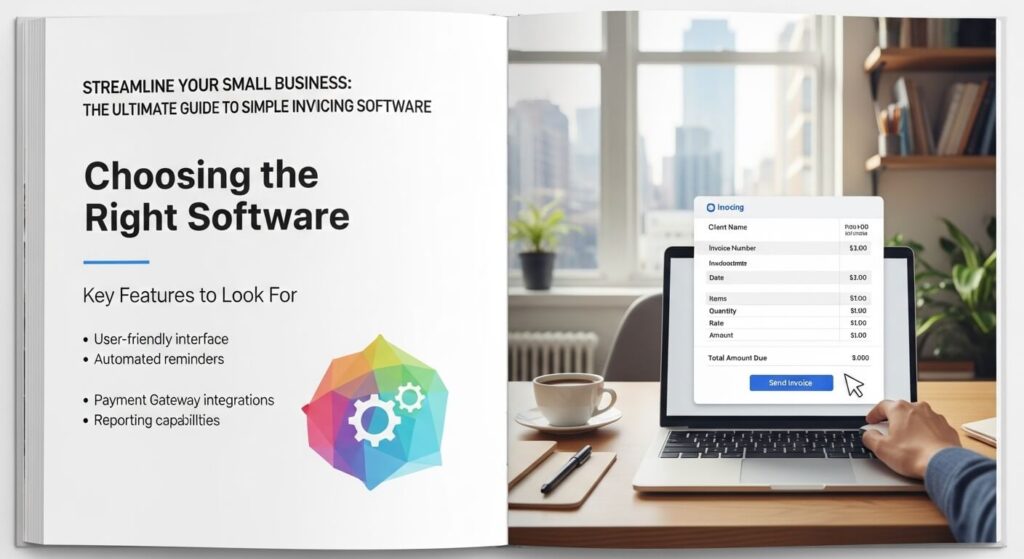
Streamline Your Small Business: The Ultimate Guide to Simple Invoicing Software
Manual invoicing can truly hurt a small business. You waste valuable time creating invoices by hand. Errors often creep in, leading to frustration. Payments become slow, which hurts your cash flow. This old way just isn’t good enough anymore. Simple invoicing software is the modern answer.
What exactly is “simple” invoicing software? It means tools that are easy to use. They focus on the key features small businesses need. They are also budget-friendly. Adopting these tools saves you time and money. They make your business look more professional.
This article will help you. We will show you the benefits of simple invoicing software. You will learn about key features to look for. We will also guide you on how to pick the right one.
Why Your Small Business Needs Simple Invoicing Software
Using simple invoicing software brings many good changes. It helps your money flow better. It saves time you can use elsewhere. Your business will also look much more professional.
Boost Cash Flow and Get Paid Faster
Getting paid on time is vital for any small business. Simple invoicing software makes this easier. It helps you keep your money moving.
Reduce Payment Delays with Professional Invoices
Messy invoices cause confusion. Customers might delay paying if they do not understand the bill. Professional invoices built by software are clear. They show all charges and terms plainly. This helps clients pay quickly and without hassle.
Automate Payment Reminders
Sometimes clients just forget to pay. Chasing them down takes a lot of time. Invoicing software can send automatic reminders. These gentle nudges help reduce overdue payments. You do not have to lift a finger after setup.
Accept Online Payments Seamlessly
Modern clients like to pay online. Simple invoicing software often lets you link to online payment options. Your clients can pay with a click. This makes payment convenient for them. It speeds up your cash collection a lot.
Save Precious Time and Reduce Errors
Every minute counts when you run a small business. Invoicing software frees up your time. It also helps you avoid mistakes.
Automate Invoice Creation and Sending
Imagine creating invoices in seconds, not minutes. Simple invoicing software can do this. You can set up recurring invoices for regular clients. It can even fill in details automatically. Then, the software sends them out for you.
Minimize Manual Data Entry Mistakes
Typing numbers and details by hand often leads to errors. A simple invoicing tool reduces human mistakes. It calculates totals, taxes, and discounts correctly every time. Your invoices will be accurate and trustworthy. This saves you from correcting issues later.
Organize Your Financial Records Effortlessly
Keeping track of invoices, payments, and clients can be hard. Invoicing software centralizes everything. All your billing data lives in one place. You can quickly search for old invoices or client details. This makes managing your financial records a breeze.
Enhance Professionalism and Customer Experience
Your invoices are a part of your brand. Software can make them look great. This also makes clients happier.
Create Branded, Professional-Looking Invoices
Generic invoices do not impress anyone. Simple invoicing software lets you customize designs. You can add your company logo and colors. Your invoices will look polished and consistent. This builds trust and shows you mean business.
Provide a Convenient Payment Experience for Clients
Clients appreciate an easy way to pay. With simple invoicing software, they can get clear invoices. They can also pay how they like, often online. This smooth process improves their overall experience. Happy clients are loyal clients.
Improve Client Communication and Transparency
Digital records make things clear. Clients can easily access their invoice history. They see exactly what they owe and when. This transparency builds strong client relationships. It fosters trust in your business.
Key Features to Look for in Simple Invoicing Software
When looking for simple invoicing software for small business, some features are a must. These tools should make your billing easy. They also need to handle payments well.
Core Invoicing Functionality
Focus on the basics that truly matter. These functions make invoicing possible. They keep things running smoothly.
Invoice Creation and Customization
The software must let you make invoices fast. You should be able to add essential details. This includes line items, taxes, and discounts. Customization like adding your logo is also important. It makes each invoice uniquely yours.
Client Management
You need a simple place to store client info. This includes their contact details and past payments. Good software helps you track their buying habits too. This makes creating new invoices for them quick and easy.
Product/Service Catalog
Do you sell the same items or services often? Simple invoicing software lets you save them. You can pre-define common products. Then, just select them to add to an invoice. This speeds up invoice creation a lot.
Payment and Financial Management
Good simple invoicing software helps you get paid. It also gives you basic financial insight. Look for these money-related features.
Multiple Payment Gateway Integrations
Offering various payment methods is smart. The software should link with common options. Think Stripe, PayPal, or Square. These connections make online payments simple for your clients. This means fewer obstacles to getting paid.
Recurring Invoices and Subscriptions
For clients you bill regularly, this is key. You can set up automatic billing for them. The software sends invoices on a schedule you pick. This handles retainers or subscription services with ease. It removes repeat work.
Basic Reporting and Analytics
You need to know how your money is doing. Simple invoicing software offers basic reports. You can track income. You can see outstanding invoices. It also shows you client payment trends. This helps you make smart business choices.
Usability and Accessibility
The best software is easy for anyone to use. You do not need to be a tech expert. Look for tools that are friendly and ready when you are.
Intuitive User Interface (UI)
A clean design means less confusion. The software should have a clear dashboard. You should find what you need without searching. An easy-to-use interface saves frustration and time.
Mobile Accessibility (App or Responsive Design)
Sometimes you need to invoice on the go. Can you use the software on your phone? A good mobile app or responsive design helps. You can send invoices from anywhere. This keeps your business moving, even when you are out.
Customer Support and Resources
Even simple tools sometimes need help. Check for good customer support. Look for tutorials and helpful guides. Quick and clear support makes a big difference. It helps you get answers when you need them most.
Choosing the Right Simple Invoicing Software for Your Business
Picking the best simple invoicing software takes a little thought. You need to find a tool that fits your specific business. Do some homework to make a smart choice.
Assess Your Specific Business Needs
Before you look at options, think about what you do. Your business is unique. Its needs will be too.
Volume of Invoices
How many invoices do you send each month? A solo freelancer might send a few. A small agency sends many more. Some software plans limit invoices. Pick one that can handle your current and future needs.
Types of Clients and Payment Preferences
Who are your clients? Are they other businesses or individuals? Do they prefer credit cards, bank transfers, or other ways to pay? Make sure the software supports their preferred payment methods. This makes their lives easier, and yours.
Budget and Pricing Models
How much can you spend? Some simple invoicing software is free for basic use. Others use subscription fees each month. Some might charge a small fee per transaction. Understand these models to find what fits your budget best.
Compare Popular Options and Read Reviews
Once you know your needs, start looking around. There are many good choices out there. Learn from what others say.
Research Leading Software Providers
Many providers offer simple invoicing solutions. Some are standalone tools. Others are part of bigger accounting systems. Search for companies known for helping small businesses. You can find good review sites or industry guides online to help you compare.
Utilize Free Trials and Demos
Seeing is believing. Most simple invoicing software offers a free trial. Use these trials to test the features. See how easy it is to use. Try sending a test invoice. This hands-on experience is very valuable.
Consider Scalability
Will the software still work as your business grows? You do not want to switch tools every year. Look for options that can grow with you. This saves you time and effort down the road.
Actionable Tips for Maximizing Invoicing Software Benefits
Getting simple invoicing software is just the first step. To truly gain from it, use it smartly. Here are some ways to get the most out of your new tool.
Streamlining Your Invoicing Workflow
Make invoicing a smooth, quick part of your day. This helps your whole business flow better.
Set Up Recurring Invoices for Regular Clients
If you bill the same clients often, automate it. Configure recurring invoices for retainers or ongoing services. The software will send them without you needing to remember. This saves you a lot of manual work.
Customize Invoice Templates with Your Branding
Make your invoices look great. Add your logo, brand colors, and contact info. A consistent, professional look builds trust. It reinforces your brand with every bill sent. This small detail leaves a big impression.
Integrate with Your Chosen Payment Gateway Immediately
Do not wait to connect your payment options. Link the software to Stripe, PayPal, or whatever you use. Make it super easy for clients to pay you. The fewer steps they have, the faster you get your money.
Improving Payment Collection and Management
Getting paid promptly is a top priority. Use your software to make this process as efficient as possible.
Clearly State Payment Terms and Due Dates
Every invoice needs clear terms. Use the software to highlight due dates and payment methods. Clarity on every invoice reduces confusion. It encourages clients to pay by the deadline.
Schedule Automated Payment Reminders
Set up your software to send reminders for upcoming or overdue payments. A gentle email reminder often works wonders. It helps collect money without you doing extra work. This keeps your cash flow healthy.
Reconcile Payments Regularly
Keep your financial records up-to-date. As payments come in, mark invoices as paid in your software. Regular reconciliation gives you a clear picture of your finances. This helps you track what is owed and what is in the bank.
Leveraging Software for Business Growth
Your invoicing software is more than just a billing tool. It can offer insights that help your business grow.
Analyze Your Financial Reports
Look at the basic reports your software provides. Understand your revenue streams. See which clients are most profitable. This data helps you make smarter choices. It guides your business growth.
Track Your Time (if applicable) for Accurate Billing
For service businesses, time is money. Many simple invoicing tools let you track hours. Use this feature for accurate client billing. It ensures you charge fairly for all your work. This also helps with project planning.
Gather Client Feedback on the Invoicing Process
Ask your clients what they think. Was paying easy? Was the invoice clear? Use their insights to improve your process. A better client experience means happier clients. It strengthens your business relationships.
Conclusion: The Smart Way to Invoice
Ditching old, manual ways of invoicing is a smart move. Simple invoicing software for small business brings huge benefits. It makes your operations more efficient. It helps you get paid faster. It also boosts your business’s professional image.
Choosing the right simple invoicing software is an important step. Take time to match a tool to your specific needs. Look at features, ease of use, and support. Explore your options and start enjoying a smoother, more profitable billing process today.
Key Takeaways:
- Manual invoicing costs time and money.
- Simple invoicing software helps you get paid faster and manage cash flow.
- Look for features like custom invoices, online payments, and basic financial reports.
- Easy-to-use software with good customer support is a must.
- Adopting the right invoicing software is a smart choice for your business’s financial health.
Why Your Small Business Needs Simple Invoicing Software
Using simple invoicing software brings many good changes. It helps your money flow better. It saves time you can use elsewhere. Your business will also look much more professional.
Boost Cash Flow and Get Paid Faster
Getting paid on time is vital for any small business. Simple invoicing software makes this easier. It helps you keep your money moving.
Reduce Payment Delays with Professional Invoices
Messy invoices cause confusion. Customers might delay paying if they do not understand the bill. Professional invoices built by software are clear. They show all charges and terms plainly. This helps clients pay quickly and without hassle.
Automate Payment Reminders
Sometimes clients just forget to pay. Chasing them down takes a lot of time. Invoicing software can send automatic reminders. These gentle nudges help reduce overdue payments. You do not have to lift a finger after setup.
Accept Online Payments Seamlessly
Modern clients like to pay online. Simple invoicing software often lets you link to online payment options. Your clients can pay with a click. This makes payment convenient for them. It speeds up your cash collection a lot.
Save Precious Time and Reduce Errors
Every minute counts when you run a small business. Invoicing software frees up your time. It also helps you avoid mistakes.
Automate Invoice Creation and Sending
Imagine creating invoices in seconds, not minutes. Simple invoicing software can do this. You can set up recurring invoices for regular clients. It can even fill in details automatically. Then, the software sends them out for you.
Minimize Manual Data Entry Mistakes
Typing numbers and details by hand often leads to errors. A simple invoicing tool reduces human mistakes. It calculates totals, taxes, and discounts correctly every time. Your invoices will be accurate and trustworthy. This saves you from correcting issues later.
Organize Your Financial Records Effortlessly
Keeping track of invoices, payments, and clients can be hard. Invoicing software centralizes everything. All your billing data lives in one place. You can quickly search for old invoices or client details. This makes managing your financial records a breeze.
Enhance Professionalism and Customer Experience
Your invoices are a part of your brand. Software can make them look great. This also makes clients happier.
Create Branded, Professional-Looking Invoices
Generic invoices do not impress anyone. Simple invoicing software lets you customize designs. You can add your company logo and colors. Your invoices will look polished and consistent. This builds trust and shows you mean business.
Provide a Convenient Payment Experience for Clients
Clients appreciate an easy way to pay. With simple invoicing software, they can get clear invoices. They can also pay how they like, often online. This smooth process improves their overall experience. Happy clients are loyal clients.
Improve Client Communication and Transparency
Digital records make things clear. Clients can easily access their invoice history. They see exactly what they owe and when. This transparency builds strong client relationships. It fosters trust in your business.
Key Features to Look for in Simple Invoicing Software
When looking for simple invoicing software for small business, some features are a must. These tools should make your billing easy. They also need to handle payments well.
Core Invoicing Functionality
Focus on the basics that truly matter. These functions make invoicing possible. They keep things running smoothly.
Invoice Creation and Customization
The software must let you make invoices fast. You should be able to add essential details. This includes line items, taxes, and discounts. Customization like adding your logo is also important. It makes each invoice uniquely yours.
Client Management
You need a simple place to store client info. This includes their contact details and past payments. Good software helps you track their buying habits too. This makes creating new invoices for them quick and easy.
Product/Service Catalog
Do you sell the same items or services often? Simple invoicing software lets you save them. You can pre-define common products. Then, just select them to add to an invoice. This speeds up invoice creation a lot.
Payment and Financial Management
Good simple invoicing software helps you get paid. It also gives you basic financial insight. Look for these money-related features.
Multiple Payment Gateway Integrations
Offering various payment methods is smart. The software should link with common options. Think Stripe, PayPal, or Square. These connections make online payments simple for your clients. This means fewer obstacles to getting paid.
Recurring Invoices and Subscriptions
For clients you bill regularly, this is key. You can set up automatic billing for them. The software sends invoices on a schedule you pick. This handles retainers or subscription services with ease. It removes repeat work.
Basic Reporting and Analytics
You need to know how your money is doing. Simple invoicing software offers basic reports. You can track income. You can see outstanding invoices. It also shows you client payment trends. This helps you make smart business choices.
Usability and Accessibility
The best software is easy for anyone to use. You do not need to be a tech expert. Look for tools that are friendly and ready when you are.
Intuitive User Interface (UI)
A clean design means less confusion. The software should have a clear dashboard. You should find what you need without searching. An easy-to-use interface saves frustration and time.
Mobile Accessibility (App or Responsive Design)
Sometimes you need to invoice on the go. Can you use the software on your phone? A good mobile app or responsive design helps. You can send invoices from anywhere. This keeps your business moving, even when you are out.
Customer Support and Resources
Even simple tools sometimes need help. Check for good customer support. Look for tutorials and helpful guides. Quick and clear support makes a big difference. It helps you get answers when you need them most.
Choosing the Right Simple Invoicing Software for Your Business
Picking the best simple invoicing software takes a little thought. You need to find a tool that fits your specific business. Do some homework to make a smart choice.
Assess Your Specific Business Needs
Before you look at options, think about what you do. Your business is unique. Its needs will be too.
Volume of Invoices
How many invoices do you send each month? A solo freelancer might send a few. A small agency sends many more. Some software plans limit invoices. Pick one that can handle your current and future needs.
Types of Clients and Payment Preferences
Who are your clients? Are they other businesses or individuals? Do they prefer credit cards, bank transfers, or other ways to pay? Make sure the software supports their preferred payment methods. This makes their lives easier, and yours.
Budget and Pricing Models
How much can you spend? Some simple invoicing software is free for basic use. Others use subscription fees each month. Some might charge a small fee per transaction. Understand these models to find what fits your budget best.
Compare Popular Options and Read Reviews
Once you know your needs, start looking around. There are many good choices out there. Learn from what others say.
Research Leading Software Providers
Many providers offer simple invoicing solutions. Some are standalone tools. Others are part of bigger accounting systems. Search for companies known for helping small businesses. You can find good review sites or industry guides online to help you compare.
Utilize Free Trials and Demos
Seeing is believing. Most simple invoicing software offers a free trial. Use these trials to test the features. See how easy it is to use. Try sending a test invoice. This hands-on experience is very valuable.
Consider Scalability
Will the software still work as your business grows? You do not want to switch tools every year. Look for options that can grow with you. This saves you time and effort down the road.
Actionable Tips for Maximizing Invoicing Software Benefits
Getting simple invoicing software is just the first step. To truly gain from it, use it smartly. Here are some ways to get the most out of your new tool.
Streamlining Your Invoicing Workflow
Make invoicing a smooth, quick part of your day. This helps your whole business flow better.
Set Up Recurring Invoices for Regular Clients
If you bill the same clients often, automate it. Configure recurring invoices for retainers or ongoing services. The software will send them without you needing to remember. This saves you a lot of manual work.
Customize Invoice Templates with Your Branding
Make your invoices look great. Add your logo, brand colors, and contact info. A consistent, professional look builds trust. It reinforces your brand with every bill sent. This small detail leaves a big impression.
Integrate with Your Chosen Payment Gateway Immediately
Do not wait to connect your payment options. Link the software to Stripe, PayPal, or whatever you use. Make it super easy for clients to pay you. The fewer steps they have, the faster you get your money.
Improving Payment Collection and Management
Getting paid promptly is a top priority. Use your software to make this process as efficient as possible.
Clearly State Payment Terms and Due Dates
Every invoice needs clear terms. Use the software to highlight due dates and payment methods. Clarity on every invoice reduces confusion. It encourages clients to pay by the deadline.
Schedule Automated Payment Reminders
Set up your software to send reminders for upcoming or overdue payments. A gentle email reminder often works wonders. It helps collect money without you doing extra work. This keeps your cash flow healthy.
Reconcile Payments Regularly
Keep your financial records up-to-date. As payments come in, mark invoices as paid in your software. Regular reconciliation gives you a clear picture of your finances. This helps you track what is owed and what is in the bank.
Leveraging Software for Business Growth
Your invoicing software is more than just a billing tool. It can offer insights that help your business grow.
Analyze Your Financial Reports
Look at the basic reports your software provides. Understand your revenue streams. See which clients are most profitable. This data helps you make smarter choices. It guides your business growth.
Track Your Time (if applicable) for Accurate Billing
For service businesses, time is money. Many simple invoicing tools let you track hours. Use this feature for accurate client billing. It ensures you charge fairly for all your work. This also helps with project planning.
Gather Client Feedback on the Invoicing Process
Ask your clients what they think. Was paying easy? Was the invoice clear? Use their insights to improve your process. A better client experience means happier clients. It strengthens your business relationships.
Conclusion: The Smart Way to Invoice
Ditching old, manual ways of invoicing is a smart move. Simple invoicing software for small business brings huge benefits. It makes your operations more efficient. It helps you get paid faster. It also boosts your business’s professional image.
Choosing the right simple invoicing software is an important step. Take time to match a tool to your specific needs. Look at features, ease of use, and support. Explore your options and start enjoying a smoother, more profitable billing process today.
Key Takeaways:
- Manual invoicing costs time and money.
- Simple invoicing software helps you get paid faster and manage cash flow.
- Look for features like custom invoices, online payments, and basic financial reports.
- Easy-to-use software with good customer support is a must.
- Adopting the right invoicing software is a smart choice for your business’s financial health.
Streamline Your Small Business: The Ultimate Guide to Simple Invoicing Software
Manual invoicing can truly hurt a small business. You waste valuable time creating invoices by hand. Errors often creep in, leading to frustration. Payments become slow, which hurts your cash flow. This old way just isn’t good enough anymore. Simple invoicing software is the modern answer.
What exactly is “simple” invoicing software? It means tools that are easy to use. They focus on the key features small businesses need. They are also budget-friendly. Adopting these tools saves you time and money. They make your business look more professional.
This article will help you. We will show you the benefits of simple invoicing software. You will learn about key features to look for. We will also guide you on how to pick the right one.
Why Your Small Business Needs Simple Invoicing Software
Using simple invoicing software brings many good changes. It helps your money flow better. It saves time you can use elsewhere. Your business will also look much more professional.
Boost Cash Flow and Get Paid Faster
Getting paid on time is vital for any small business. Simple invoicing software makes this easier. It helps you keep your money moving.
Reduce Payment Delays with Professional Invoices
Messy invoices cause confusion. Customers might delay paying if they do not understand the bill. Professional invoices built by software are clear. They show all charges and terms plainly. This helps clients pay quickly and without hassle.
Automate Payment Reminders
Sometimes clients just forget to pay. Chasing them down takes a lot of time. Invoicing software can send automatic reminders. These gentle nudges help reduce overdue payments. You do not have to lift a finger after setup.
Accept Online Payments Seamlessly
Modern clients like to pay online. Simple invoicing software often lets you link to online payment options. Your clients can pay with a click. This makes payment convenient for them. It speeds up your cash collection a lot.
Save Precious Time and Reduce Errors
Every minute counts when you run a small business. Invoicing software frees up your time. It also helps you avoid mistakes.
Automate Invoice Creation and Sending
Imagine creating invoices in seconds, not minutes. Simple invoicing software can do this. You can set up recurring invoices for regular clients. It can even fill in details automatically. Then, the software sends them out for you.
Minimize Manual Data Entry Mistakes
Typing numbers and details by hand often leads to errors. A simple invoicing tool reduces human mistakes. It calculates totals, taxes, and discounts correctly every time. Your invoices will be accurate and trustworthy. This saves you from correcting issues later.
Organize Your Financial Records Effortlessly
Keeping track of invoices, payments, and clients can be hard. Invoicing software centralizes everything. All your billing data lives in one place. You can quickly search for old invoices or client details. This makes managing your financial records a breeze.
Enhance Professionalism and Customer Experience
Your invoices are a part of your brand. Software can make them look great. This also makes clients happier.
Create Branded, Professional-Looking Invoices
Generic invoices do not impress anyone. Simple invoicing software lets you customize designs. You can add your company logo and colors. Your invoices will look polished and consistent. This builds trust and shows you mean business.
Provide a Convenient Payment Experience for Clients
Clients appreciate an easy way to pay. With simple invoicing software, they can get clear invoices. They can also pay how they like, often online. This smooth process improves their overall experience. Happy clients are loyal clients.
Improve Client Communication and Transparency
Digital records make things clear. Clients can easily access their invoice history. They see exactly what they owe and when. This transparency builds strong client relationships. It fosters trust in your business.
Key Features to Look for in Simple Invoicing Software
When looking for simple invoicing software for small business, some features are a must. These tools should make your billing easy. They also need to handle payments well.
Core Invoicing Functionality
Focus on the basics that truly matter. These functions make invoicing possible. They keep things running smoothly.
Invoice Creation and Customization
The software must let you make invoices fast. You should be able to add essential details. This includes line items, taxes, and discounts. Customization like adding your logo is also important. It makes each invoice uniquely yours.
Client Management
You need a simple place to store client info. This includes their contact details and past payments. Good software helps you track their buying habits too. This makes creating new invoices for them quick and easy.
Product/Service Catalog
Do you sell the same items or services often? Simple invoicing software lets you save them. You can pre-define common products. Then, just select them to add to an invoice. This speeds up invoice creation a lot.
Payment and Financial Management
Good simple invoicing software helps you get paid. It also gives you basic financial insight. Look for these money-related features.
Multiple Payment Gateway Integrations
Offering various payment methods is smart. The software should link with common options. Think Stripe, PayPal, or Square. These connections make online payments simple for your clients. This means fewer obstacles to getting paid.
Recurring Invoices and Subscriptions
For clients you bill regularly, this is key. You can set up automatic billing for them. The software sends invoices on a schedule you pick. This handles retainers or subscription services with ease. It removes repeat work.
Basic Reporting and Analytics
You need to know how your money is doing. Simple invoicing software offers basic reports. You can track income. You can see outstanding invoices. It also shows you client payment trends. This helps you make smart business choices.
Usability and Accessibility
The best software is easy for anyone to use. You do not need to be a tech expert. Look for tools that are friendly and ready when you are.
Intuitive User Interface (UI)
A clean design means less confusion. The software should have a clear dashboard. You should find what you need without searching. An easy-to-use interface saves frustration and time.
Mobile Accessibility (App or Responsive Design)
Sometimes you need to invoice on the go. Can you use the software on your phone? A good mobile app or responsive design helps. You can send invoices from anywhere. This keeps your business moving, even when you are out.
Customer Support and Resources
Even simple tools sometimes need help. Check for good customer support. Look for tutorials and helpful guides. Quick and clear support makes a big difference. It helps you get answers when you need them most.
Choosing the Right Simple Invoicing Software for Your Business
Picking the best simple invoicing software takes a little thought. You need to find a tool that fits your specific business. Do some homework to make a smart choice.
Assess Your Specific Business Needs
Before you look at options, think about what you do. Your business is unique. Its needs will be too.
Volume of Invoices
How many invoices do you send each month? A solo freelancer might send a few. A small agency sends many more. Some software plans limit invoices. Pick one that can handle your current and future needs.
Types of Clients and Payment Preferences
Who are your clients? Are they other businesses or individuals? Do they prefer credit cards, bank transfers, or other ways to pay? Make sure the software supports their preferred payment methods. This makes their lives easier, and yours.
Budget and Pricing Models
How much can you spend? Some simple invoicing software is free for basic use. Others use subscription fees each month. Some might charge a small fee per transaction. Understand these models to find what fits your budget best.
Compare Popular Options and Read Reviews
Once you know your needs, start looking around. There are many good choices out there. Learn from what others say.
Research Leading Software Providers
Many providers offer simple invoicing solutions. Some are standalone tools. Others are part of bigger accounting systems. Search for companies known for helping small businesses. You can find good review sites or industry guides online to help you compare.
Utilize Free Trials and Demos
Seeing is believing. Most simple invoicing software offers a free trial. Use these trials to test the features. See how easy it is to use. Try sending a test invoice. This hands-on experience is very valuable.
Consider Scalability
Will the software still work as your business grows? You do not want to switch tools every year. Look for options that can grow with you. This saves you time and effort down the road.
Actionable Tips for Maximizing Invoicing Software Benefits
Getting simple invoicing software is just the first step. To truly gain from it, use it smartly. Here are some ways to get the most out of your new tool.
Streamlining Your Invoicing Workflow
Make invoicing a smooth, quick part of your day. This helps your whole business flow better.
Set Up Recurring Invoices for Regular Clients
If you bill the same clients often, automate it. Configure recurring invoices for retainers or ongoing services. The software will send them without you needing to remember. This saves you a lot of manual work.
Customize Invoice Templates with Your Branding
Make your invoices look great. Add your logo, brand colors, and contact info. A consistent, professional look builds trust. It reinforces your brand with every bill sent. This small detail leaves a big impression.
Integrate with Your Chosen Payment Gateway Immediately
Do not wait to connect your payment options. Link the software to Stripe, PayPal, or whatever you use. Make it super easy for clients to pay you. The fewer steps they have, the faster you get your money.
Improving Payment Collection and Management
Getting paid promptly is a top priority. Use your software to make this process as efficient as possible.
Clearly State Payment Terms and Due Dates
Every invoice needs clear terms. Use the software to highlight due dates and payment methods. Clarity on every invoice reduces confusion. It encourages clients to pay by the deadline.
Schedule Automated Payment Reminders
Set up your software to send reminders for upcoming or overdue payments. A gentle email reminder often works wonders. It helps collect money without you doing extra work. This keeps your cash flow healthy.
Reconcile Payments Regularly
Keep your financial records up-to-date. As payments come in, mark invoices as paid in your software. Regular reconciliation gives you a clear picture of your finances. This helps you track what is owed and what is in the bank.
Leveraging Software for Business Growth
Your invoicing software is more than just a billing tool. It can offer insights that help your business grow.
Analyze Your Financial Reports
Look at the basic reports your software provides. Understand your revenue streams. See which clients are most profitable. This data helps you make smarter choices. It guides your business growth.
Track Your Time (if applicable) for Accurate Billing
For service businesses, time is money. Many simple invoicing tools let you track hours. Use this feature for accurate client billing. It ensures you charge fairly for all your work. This also helps with project planning.
Gather Client Feedback on the Invoicing Process
Ask your clients what they think. Was paying easy? Was the invoice clear? Use their insights to improve your process. A better client experience means happier clients. It strengthens your business relationships.
Conclusion: The Smart Way to Invoice
Ditching old, manual ways of invoicing is a smart move. Simple invoicing software for small business brings huge benefits. It makes your operations more efficient. It helps you get paid faster. It also boosts your business’s professional image.
Choosing the right simple invoicing software is an important step. Take time to match a tool to your specific needs. Look at features, ease of use, and support. Explore your options and start enjoying a smoother, more profitable billing process today.
Key Takeaways:
- Manual invoicing costs time and money.
- Simple invoicing software helps you get paid faster and manage cash flow.
- Look for features like custom invoices, online payments, and basic financial reports.
- Easy-to-use software with good customer support is a must.
- Adopting the right invoicing software is a smart choice for your business’s financial health.
Why Your Small Business Needs Simple Invoicing Software
Using simple invoicing software brings many good changes. It helps your money flow better. It saves time you can use elsewhere. Your business will also look much more professional.
Boost Cash Flow and Get Paid Faster
Getting paid on time is vital for any small business. Simple invoicing software makes this easier. It helps you keep your money moving.
Reduce Payment Delays with Professional Invoices
Messy invoices cause confusion. Customers might delay paying if they do not understand the bill. Professional invoices built by software are clear. They show all charges and terms plainly. This helps clients pay quickly and without hassle.
Automate Payment Reminders
Sometimes clients just forget to pay. Chasing them down takes a lot of time. Invoicing software can send automatic reminders. These gentle nudges help reduce overdue payments. You do not have to lift a finger after setup.
Accept Online Payments Seamlessly
Modern clients like to pay online. Simple invoicing software often lets you link to online payment options. Your clients can pay with a click. This makes payment convenient for them. It speeds up your cash collection a lot.
Save Precious Time and Reduce Errors
Every minute counts when you run a small business. Invoicing software frees up your time. It also helps you avoid mistakes.
Automate Invoice Creation and Sending
Imagine creating invoices in seconds, not minutes. Simple invoicing software can do this. You can set up recurring invoices for regular clients. It can even fill in details automatically. Then, the software sends them out for you.
Minimize Manual Data Entry Mistakes
Typing numbers and details by hand often leads to errors. A simple invoicing tool reduces human mistakes. It calculates totals, taxes, and discounts correctly every time. Your invoices will be accurate and trustworthy. This saves you from correcting issues later.
Organize Your Financial Records Effortlessly
Keeping track of invoices, payments, and clients can be hard. Invoicing software centralizes everything. All your billing data lives in one place. You can quickly search for old invoices or client details. This makes managing your financial records a breeze.
Enhance Professionalism and Customer Experience
Your invoices are a part of your brand. Software can make them look great. This also makes clients happier.
Create Branded, Professional-Looking Invoices
Generic invoices do not impress anyone. Simple invoicing software lets you customize designs. You can add your company logo and colors. Your invoices will look polished and consistent. This builds trust and shows you mean business.
Provide a Convenient Payment Experience for Clients
Clients appreciate an easy way to pay. With simple invoicing software, they can get clear invoices. They can also pay how they like, often online. This smooth process improves their overall experience. Happy clients are loyal clients.
Improve Client Communication and Transparency
Digital records make things clear. Clients can easily access their invoice history. They see exactly what they owe and when. This transparency builds strong client relationships. It fosters trust in your business.
Key Features to Look for in Simple Invoicing Software
When looking for simple invoicing software for small business, some features are a must. These tools should make your billing easy. They also need to handle payments well.
Core Invoicing Functionality
Focus on the basics that truly matter. These functions make invoicing possible. They keep things running smoothly.
Invoice Creation and Customization
The software must let you make invoices fast. You should be able to add essential details. This includes line items, taxes, and discounts. Customization like adding your logo is also important. It makes each invoice uniquely yours.
Client Management
You need a simple place to store client info. This includes their contact details and past payments. Good software helps you track their buying habits too. This makes creating new invoices for them quick and easy.
Product/Service Catalog
Do you sell the same items or services often? Simple invoicing software lets you save them. You can pre-define common products. Then, just select them to add to an invoice. This speeds up invoice creation a lot.
Payment and Financial Management
Good simple invoicing software helps you get paid. It also gives you basic financial insight. Look for these money-related features.
Multiple Payment Gateway Integrations
Offering various payment methods is smart. The software should link with common options. Think Stripe, PayPal, or Square. These connections make online payments simple for your clients. This means fewer obstacles to getting paid.
Recurring Invoices and Subscriptions
For clients you bill regularly, this is key. You can set up automatic billing for them. The software sends invoices on a schedule you pick. This handles retainers or subscription services with ease. It removes repeat work.
Basic Reporting and Analytics
You need to know how your money is doing. Simple invoicing software offers basic reports. You can track income. You can see outstanding invoices. It also shows you client payment trends. This helps you make smart business choices.
Usability and Accessibility
The best software is easy for anyone to use. You do not need to be a tech expert. Look for tools that are friendly and ready when you are.
Intuitive User Interface (UI)
A clean design means less confusion. The software should have a clear dashboard. You should find what you need without searching. An easy-to-use interface saves frustration and time.
Mobile Accessibility (App or Responsive Design)
Sometimes you need to invoice on the go. Can you use the software on your phone? A good mobile app or responsive design helps. You can send invoices from anywhere. This keeps your business moving, even when you are out.
Customer Support and Resources
Even simple tools sometimes need help. Check for good customer support. Look for tutorials and helpful guides. Quick and clear support makes a big difference. It helps you get answers when you need them most.
Choosing the Right Simple Invoicing Software for Your Business
Picking the best simple invoicing software takes a little thought. You need to find a tool that fits your specific business. Do some homework to make a smart choice.
Assess Your Specific Business Needs
Before you look at options, think about what you do. Your business is unique. Its needs will be too.
Volume of Invoices
How many invoices do you send each month? A solo freelancer might send a few. A small agency sends many more. Some software plans limit invoices. Pick one that can handle your current and future needs.
Types of Clients and Payment Preferences
Who are your clients? Are they other businesses or individuals? Do they prefer credit cards, bank transfers, or other ways to pay? Make sure the software supports their preferred payment methods. This makes their lives easier, and yours.
Budget and Pricing Models
How much can you spend? Some simple invoicing software is free for basic use. Others use subscription fees each month. Some might charge a small fee per transaction. Understand these models to find what fits your budget best.
Compare Popular Options and Read Reviews
Once you know your needs, start looking around. There are many good choices out there. Learn from what others say.
Research Leading Software Providers
Many providers offer simple invoicing solutions. Some are standalone tools. Others are part of bigger accounting systems. Search for companies known for helping small businesses. You can find good review sites or industry guides online to help you compare.
Utilize Free Trials and Demos
Seeing is believing. Most simple invoicing software offers a free trial. Use these trials to test the features. See how easy it is to use. Try sending a test invoice. This hands-on experience is very valuable.
Consider Scalability
Will the software still work as your business grows? You do not want to switch tools every year. Look for options that can grow with you. This saves you time and effort down the road.
Actionable Tips for Maximizing Invoicing Software Benefits
Getting simple invoicing software is just the first step. To truly gain from it, use it smartly. Here are some ways to get the most out of your new tool.
Streamlining Your Invoicing Workflow
Make invoicing a smooth, quick part of your day. This helps your whole business flow better.
Set Up Recurring Invoices for Regular Clients
If you bill the same clients often, automate it. Configure recurring invoices for retainers or ongoing services. The software will send them without you needing to remember. This saves you a lot of manual work.
Customize Invoice Templates with Your Branding
Make your invoices look great. Add your logo, brand colors, and contact info. A consistent, professional look builds trust. It reinforces your brand with every bill sent. This small detail leaves a big impression.
Integrate with Your Chosen Payment Gateway Immediately
Do not wait to connect your payment options. Link the software to Stripe, PayPal, or whatever you use. Make it super easy for clients to pay you. The fewer steps they have, the faster you get your money.
Improving Payment Collection and Management
Getting paid promptly is a top priority. Use your software to make this process as efficient as possible.
Clearly State Payment Terms and Due Dates
Every invoice needs clear terms. Use the software to highlight due dates and payment methods. Clarity on every invoice reduces confusion. It encourages clients to pay by the deadline.
Schedule Automated Payment Reminders
Set up your software to send reminders for upcoming or overdue payments. A gentle email reminder often works wonders. It helps collect money without you doing extra work. This keeps your cash flow healthy.
Reconcile Payments Regularly
Keep your financial records up-to-date. As payments come in, mark invoices as paid in your software. Regular reconciliation gives you a clear picture of your finances. This helps you track what is owed and what is in the bank.
Leveraging Software for Business Growth
Your invoicing software is more than just a billing tool. It can offer insights that help your business grow.
Analyze Your Financial Reports
Look at the basic reports your software provides. Understand your revenue streams. See which clients are most profitable. This data helps you make smarter choices. It guides your business growth.
Track Your Time (if applicable) for Accurate Billing
For service businesses, time is money. Many simple invoicing tools let you track hours. Use this feature for accurate client billing. It ensures you charge fairly for all your work. This also helps with project planning.
Gather Client Feedback on the Invoicing Process
Ask your clients what they think. Was paying easy? Was the invoice clear? Use their insights to improve your process. A better client experience means happier clients. It strengthens your business relationships.
Conclusion: The Smart Way to Invoice
Ditching old, manual ways of invoicing is a smart move. Simple invoicing software for small business brings huge benefits. It makes your operations more efficient. It helps you get paid faster. It also boosts your business’s professional image.
Choosing the right simple invoicing software is an important step. Take time to match a tool to your specific needs. Look at features, ease of use, and support. Explore your options and start enjoying a smoother, more profitable billing process today.
Key Takeaways:
- Manual invoicing costs time and money.
- Simple invoicing software helps you get paid faster and manage cash flow.
- Look for features like custom invoices, online payments, and basic financial reports.
- Easy-to-use software with good customer support is a must.
- Adopting the right invoicing software is a smart choice for your business’s financial health.
Streamline Your Small Business: The Ultimate Guide to Simple Invoicing Software
Manual invoicing can truly hurt a small business. You waste valuable time creating invoices by hand. Errors often creep in, leading to frustration. Payments become slow, which hurts your cash flow. This old way just isn’t good enough anymore. Simple invoicing software is the modern answer.
What exactly is “simple” invoicing software? It means tools that are easy to use. They focus on the key features small businesses need. They are also budget-friendly. Adopting these tools saves you time and money. They make your business look more professional.
This article will help you. We will show you the benefits of simple invoicing software. You will learn about key features to look for. We will also guide you on how to pick the right one.
Why Your Small Business Needs Simple Invoicing Software
Using simple invoicing software brings many good changes. It helps your money flow better. It saves time you can use elsewhere. Your business will also look much more professional.
Boost Cash Flow and Get Paid Faster
Getting paid on time is vital for any small business. Simple invoicing software makes this easier. It helps you keep your money moving.
Reduce Payment Delays with Professional Invoices
Messy invoices cause confusion. Customers might delay paying if they do not understand the bill. Professional invoices built by software are clear. They show all charges and terms plainly. This helps clients pay quickly and without hassle.
Automate Payment Reminders
Sometimes clients just forget to pay. Chasing them down takes a lot of time. Invoicing software can send automatic reminders. These gentle nudges help reduce overdue payments. You do not have to lift a finger after setup.
Accept Online Payments Seamlessly
Modern clients like to pay online. Simple invoicing software often lets you link to online payment options. Your clients can pay with a click. This makes payment convenient for them. It speeds up your cash collection a lot.
Save Precious Time and Reduce Errors
Every minute counts when you run a small business. Invoicing software frees up your time. It also helps you avoid mistakes.
Automate Invoice Creation and Sending
Imagine creating invoices in seconds, not minutes. Simple invoicing software can do this. You can set up recurring invoices for regular clients. It can even fill in details automatically. Then, the software sends them out for you.
Minimize Manual Data Entry Mistakes
Typing numbers and details by hand often leads to errors. A simple invoicing tool reduces human mistakes. It calculates totals, taxes, and discounts correctly every time. Your invoices will be accurate and trustworthy. This saves you from correcting issues later.
Organize Your Financial Records Effortlessly
Keeping track of invoices, payments, and clients can be hard. Invoicing software centralizes everything. All your billing data lives in one place. You can quickly search for old invoices or client details. This makes managing your financial records a breeze.
Enhance Professionalism and Customer Experience
Your invoices are a part of your brand. Software can make them look great. This also makes clients happier.
Create Branded, Professional-Looking Invoices
Generic invoices do not impress anyone. Simple invoicing software lets you customize designs. You can add your company logo and colors. Your invoices will look polished and consistent. This builds trust and shows you mean business.
Provide a Convenient Payment Experience for Clients
Clients appreciate an easy way to pay. With simple invoicing software, they can get clear invoices. They can also pay how they like, often online. This smooth process improves their overall experience. Happy clients are loyal clients.
Improve Client Communication and Transparency
Digital records make things clear. Clients can easily access their invoice history. They see exactly what they owe and when. This transparency builds strong client relationships. It fosters trust in your business.
Key Features to Look for in Simple Invoicing Software
When looking for simple invoicing software for small business, some features are a must. These tools should make your billing easy. They also need to handle payments well.
Core Invoicing Functionality
Focus on the basics that truly matter. These functions make invoicing possible. They keep things running smoothly.
Invoice Creation and Customization
The software must let you make invoices fast. You should be able to add essential details. This includes line items, taxes, and discounts. Customization like adding your logo is also important. It makes each invoice uniquely yours.
Client Management
You need a simple place to store client info. This includes their contact details and past payments. Good software helps you track their buying habits too. This makes creating new invoices for them quick and easy.
Product/Service Catalog
Do you sell the same items or services often? Simple invoicing software lets you save them. You can pre-define common products. Then, just select them to add to an invoice. This speeds up invoice creation a lot.
Payment and Financial Management
Good simple invoicing software helps you get paid. It also gives you basic financial insight. Look for these money-related features.
Multiple Payment Gateway Integrations
Offering various payment methods is smart. The software should link with common options. Think Stripe, PayPal, or Square. These connections make online payments simple for your clients. This means fewer obstacles to getting paid.
Recurring Invoices and Subscriptions
For clients you bill regularly, this is key. You can set up automatic billing for them. The software sends invoices on a schedule you pick. This handles retainers or subscription services with ease. It removes repeat work.
Basic Reporting and Analytics
You need to know how your money is doing. Simple invoicing software offers basic reports. You can track income. You can see outstanding invoices. It also shows you client payment trends. This helps you make smart business choices.
Usability and Accessibility
The best software is easy for anyone to use. You do not need to be a tech expert. Look for tools that are friendly and ready when you are.
Intuitive User Interface (UI)
A clean design means less confusion. The software should have a clear dashboard. You should find what you need without searching. An easy-to-use interface saves frustration and time.
Mobile Accessibility (App or Responsive Design)
Sometimes you need to invoice on the go. Can you use the software on your phone? A good mobile app or responsive design helps. You can send invoices from anywhere. This keeps your business moving, even when you are out.
Customer Support and Resources
Even simple tools sometimes need help. Check for good customer support. Look for tutorials and helpful guides. Quick and clear support makes a big difference. It helps you get answers when you need them most.
Choosing the Right Simple Invoicing Software for Your Business
Picking the best simple invoicing software takes a little thought. You need to find a tool that fits your specific business. Do some homework to make a smart choice.
Assess Your Specific Business Needs
Before you look at options, think about what you do. Your business is unique. Its needs will be too.
Volume of Invoices
How many invoices do you send each month? A solo freelancer might send a few. A small agency sends many more. Some software plans limit invoices. Pick one that can handle your current and future needs.
Types of Clients and Payment Preferences
Who are your clients? Are they other businesses or individuals? Do they prefer credit cards, bank transfers, or other ways to pay? Make sure the software supports their preferred payment methods. This makes their lives easier, and yours.
Budget and Pricing Models
How much can you spend? Some simple invoicing software is free for basic use. Others use subscription fees each month. Some might charge a small fee per transaction. Understand these models to find what fits your budget best.
Compare Popular Options and Read Reviews
Once you know your needs, start looking around. There are many good choices out there. Learn from what others say.
Research Leading Software Providers
Many providers offer simple invoicing solutions. Some are standalone tools. Others are part of bigger accounting systems. Search for companies known for helping small businesses. You can find good review sites or industry guides online to help you compare.
Utilize Free Trials and Demos
Seeing is believing. Most simple invoicing software offers a free trial. Use these trials to test the features. See how easy it is to use. Try sending a test invoice. This hands-on experience is very valuable.
Consider Scalability
Will the software still work as your business grows? You do not want to switch tools every year. Look for options that can grow with you. This saves you time and effort down the road.
Actionable Tips for Maximizing Invoicing Software Benefits
Getting simple invoicing software is just the first step. To truly gain from it, use it smartly. Here are some ways to get the most out of your new tool.
Streamlining Your Invoicing Workflow
Make invoicing a smooth, quick part of your day. This helps your whole business flow better.
Set Up Recurring Invoices for Regular Clients
If you bill the same clients often, automate it. Configure recurring invoices for retainers or ongoing services. The software will send them without you needing to remember. This saves you a lot of manual work.
Customize Invoice Templates with Your Branding
Make your invoices look great. Add your logo, brand colors, and contact info. A consistent, professional look builds trust. It reinforces your brand with every bill sent. This small detail leaves a big impression.
Integrate with Your Chosen Payment Gateway Immediately
Do not wait to connect your payment options. Link the software to Stripe, PayPal, or whatever you use. Make it super easy for clients to pay you. The fewer steps they have, the faster you get your money.
Improving Payment Collection and Management
Getting paid promptly is a top priority. Use your software to make this process as efficient as possible.
Clearly State Payment Terms and Due Dates
Every invoice needs clear terms. Use the software to highlight due dates and payment methods. Clarity on every invoice reduces confusion. It encourages clients to pay by the deadline.
Schedule Automated Payment Reminders
Set up your software to send reminders for upcoming or overdue payments. A gentle email reminder often works wonders. It helps collect money without you doing extra work. This keeps your cash flow healthy.
Reconcile Payments Regularly
Keep your financial records up-to-date. As payments come in, mark invoices as paid in your software. Regular reconciliation gives you a clear picture of your finances. This helps you track what is owed and what is in the bank.
Leveraging Software for Business Growth
Your invoicing software is more than just a billing tool. It can offer insights that help your business grow.
Analyze Your Financial Reports
Look at the basic reports your software provides. Understand your revenue streams. See which clients are most profitable. This data helps you make smarter choices. It guides your business growth.
Track Your Time (if applicable) for Accurate Billing
For service businesses, time is money. Many simple invoicing tools let you track hours. Use this feature for accurate client billing. It ensures you charge fairly for all your work. This also helps with project planning.
Gather Client Feedback on the Invoicing Process
Ask your clients what they think. Was paying easy? Was the invoice clear? Use their insights to improve your process. A better client experience means happier clients. It strengthens your business relationships.
Conclusion: The Smart Way to Invoice
Ditching old, manual ways of invoicing is a smart move. Simple invoicing software for small business brings huge benefits. It makes your operations more efficient. It helps you get paid faster. It also boosts your business’s professional image.
Choosing the right simple invoicing software is an important step. Take time to match a tool to your specific needs. Look at features, ease of use, and support. Explore your options and start enjoying a smoother, more profitable billing process today.
Key Takeaways:
- Manual invoicing costs time and money.
- Simple invoicing software helps you get paid faster and manage cash flow.
- Look for features like custom invoices, online payments, and basic financial reports.
- Easy-to-use software with good customer support is a must.
- Adopting the right invoicing software is a smart choice for your business’s financial health.
Why Your Small Business Needs Simple Invoicing Software
Using simple invoicing software brings many good changes. It helps your money flow better. It saves time you can use elsewhere. Your business will also look much more professional.
Boost Cash Flow and Get Paid Faster
Getting paid on time is vital for any small business. Simple invoicing software makes this easier. It helps you keep your money moving.
Reduce Payment Delays with Professional Invoices
Messy invoices cause confusion. Customers might delay paying if they do not understand the bill. Professional invoices built by software are clear. They show all charges and terms plainly. This helps clients pay quickly and without hassle.
Automate Payment Reminders
Sometimes clients just forget to pay. Chasing them down takes a lot of time. Invoicing software can send automatic reminders. These gentle nudges help reduce overdue payments. You do not have to lift a finger after setup.
Accept Online Payments Seamlessly
Modern clients like to pay online. Simple invoicing software often lets you link to online payment options. Your clients can pay with a click. This makes payment convenient for them. It speeds up your cash collection a lot.
Save Precious Time and Reduce Errors
Every minute counts when you run a small business. Invoicing software frees up your time. It also helps you avoid mistakes.
Automate Invoice Creation and Sending
Imagine creating invoices in seconds, not minutes. Simple invoicing software can do this. You can set up recurring invoices for regular clients. It can even fill in details automatically. Then, the software sends them out for you.
Minimize Manual Data Entry Mistakes
Typing numbers and details by hand often leads to errors. A simple invoicing tool reduces human mistakes. It calculates totals, taxes, and discounts correctly every time. Your invoices will be accurate and trustworthy. This saves you from correcting issues later.
Organize Your Financial Records Effortlessly
Keeping track of invoices, payments, and clients can be hard. Invoicing software centralizes everything. All your billing data lives in one place. You can quickly search for old invoices or client details. This makes managing your financial records a breeze.
Enhance Professionalism and Customer Experience
Your invoices are a part of your brand. Software can make them look great. This also makes clients happier.
Create Branded, Professional-Looking Invoices
Generic invoices do not impress anyone. Simple invoicing software lets you customize designs. You can add your company logo and colors. Your invoices will look polished and consistent. This builds trust and shows you mean business.
Provide a Convenient Payment Experience for Clients
Clients appreciate an easy way to pay. With simple invoicing software, they can get clear invoices. They can also pay how they like, often online. This smooth process improves their overall experience. Happy clients are loyal clients.
Improve Client Communication and Transparency
Digital records make things clear. Clients can easily access their invoice history. They see exactly what they owe and when. This transparency builds strong client relationships. It fosters trust in your business.
Key Features to Look for in Simple Invoicing Software
When looking for simple invoicing software for small business, some features are a must. These tools should make your billing easy. They also need to handle payments well.
Core Invoicing Functionality
Focus on the basics that truly matter. These functions make invoicing possible. They keep things running smoothly.
Invoice Creation and Customization
The software must let you make invoices fast. You should be able to add essential details. This includes line items, taxes, and discounts. Customization like adding your logo is also important. It makes each invoice uniquely yours.
Client Management
You need a simple place to store client info. This includes their contact details and past payments. Good software helps you track their buying habits too. This makes creating new invoices for them quick and easy.
Product/Service Catalog
Do you sell the same items or services often? Simple invoicing software lets you save them. You can pre-define common products. Then, just select them to add to an invoice. This speeds up invoice creation a lot.
Payment and Financial Management
Good simple invoicing software helps you get paid. It also gives you basic financial insight. Look for these money-related features.
Multiple Payment Gateway Integrations
Offering various payment methods is smart. The software should link with common options. Think Stripe, PayPal, or Square. These connections make online payments simple for your clients. This means fewer obstacles to getting paid.
Recurring Invoices and Subscriptions
For clients you bill regularly, this is key. You can set up automatic billing for them. The software sends invoices on a schedule you pick. This handles retainers or subscription services with ease. It removes repeat work.
Basic Reporting and Analytics
You need to know how your money is doing. Simple invoicing software offers basic reports. You can track income. You can see outstanding invoices. It also shows you client payment trends. This helps you make smart business choices.
Usability and Accessibility
The best software is easy for anyone to use. You do not need to be a tech expert. Look for tools that are friendly and ready when you are.
Intuitive User Interface (UI)
A clean design means less confusion. The software should have a clear dashboard. You should find what you need without searching. An easy-to-use interface saves frustration and time.
Mobile Accessibility (App or Responsive Design)
Sometimes you need to invoice on the go. Can you use the software on your phone? A good mobile app or responsive design helps. You can send invoices from anywhere. This keeps your business moving, even when you are out.
Customer Support and Resources
Even simple tools sometimes need help. Check for good customer support. Look for tutorials and helpful guides. Quick and clear support makes a big difference. It helps you get answers when you need them most.
Choosing the Right Simple Invoicing Software for Your Business
Picking the best simple invoicing software takes a little thought. You need to find a tool that fits your specific business. Do some homework to make a smart choice.
Assess Your Specific Business Needs
Before you look at options, think about what you do. Your business is unique. Its needs will be too.
Volume of Invoices
How many invoices do you send each month? A solo freelancer might send a few. A small agency sends many more. Some software plans limit invoices. Pick one that can handle your current and future needs.
Types of Clients and Payment Preferences
Who are your clients? Are they other businesses or individuals? Do they prefer credit cards, bank transfers, or other ways to pay? Make sure the software supports their preferred payment methods. This makes their lives easier, and yours.
Budget and Pricing Models
How much can you spend? Some simple invoicing software is free for basic use. Others use subscription fees each month. Some might charge a small fee per transaction. Understand these models to find what fits your budget best.
Compare Popular Options and Read Reviews
Once you know your needs, start looking around. There are many good choices out there. Learn from what others say.
Research Leading Software Providers
Many providers offer simple invoicing solutions. Some are standalone tools. Others are part of bigger accounting systems. Search for companies known for helping small businesses. You can find good review sites or industry guides online to help you compare.
Utilize Free Trials and Demos
Seeing is believing. Most simple invoicing software offers a free trial. Use these trials to test the features. See how easy it is to use. Try sending a test invoice. This hands-on experience is very valuable.
Consider Scalability
Will the software still work as your business grows? You do not want to switch tools every year. Look for options that can grow with you. This saves you time and effort down the road.
Actionable Tips for Maximizing Invoicing Software Benefits
Getting simple invoicing software is just the first step. To truly gain from it, use it smartly. Here are some ways to get the most out of your new tool.
Streamlining Your Invoicing Workflow
Make invoicing a smooth, quick part of your day. This helps your whole business flow better.
Set Up Recurring Invoices for Regular Clients
If you bill the same clients often, automate it. Configure recurring invoices for retainers or ongoing services. The software will send them without you needing to remember. This saves you a lot of manual work.
Customize Invoice Templates with Your Branding
Make your invoices look great. Add your logo, brand colors, and contact info. A consistent, professional look builds trust. It reinforces your brand with every bill sent. This small detail leaves a big impression.
Integrate with Your Chosen Payment Gateway Immediately
Do not wait to connect your payment options. Link the software to Stripe, PayPal, or whatever you use. Make it super easy for clients to pay you. The fewer steps they have, the faster you get your money.
Improving Payment Collection and Management
Getting paid promptly is a top priority. Use your software to make this process as efficient as possible.
Clearly State Payment Terms and Due Dates
Every invoice needs clear terms. Use the software to highlight due dates and payment methods. Clarity on every invoice reduces confusion. It encourages clients to pay by the deadline.
Schedule Automated Payment Reminders
Set up your software to send reminders for upcoming or overdue payments. A gentle email reminder often works wonders. It helps collect money without you doing extra work. This keeps your cash flow healthy.
Reconcile Payments Regularly
Keep your financial records up-to-date. As payments come in, mark invoices as paid in your software. Regular reconciliation gives you a clear picture of your finances. This helps you track what is owed and what is in the bank.
Leveraging Software for Business Growth
Your invoicing software is more than just a billing tool. It can offer insights that help your business grow.
Analyze Your Financial Reports
Look at the basic reports your software provides. Understand your revenue streams. See which clients are most profitable. This data helps you make smarter choices. It guides your business growth.
Track Your Time (if applicable) for Accurate Billing
For service businesses, time is money. Many simple invoicing tools let you track hours. Use this feature for accurate client billing. It ensures you charge fairly for all your work. This also helps with project planning.
Gather Client Feedback on the Invoicing Process
Ask your clients what they think. Was paying easy? Was the invoice clear? Use their insights to improve your process. A better client experience means happier clients. It strengthens your business relationships.
Conclusion: The Smart Way to Invoice
Ditching old, manual ways of invoicing is a smart move. Simple invoicing software for small business brings huge benefits. It makes your operations more efficient. It helps you get paid faster. It also boosts your business’s professional image.
Choosing the right simple invoicing software is an important step. Take time to match a tool to your specific needs. Look at features, ease of use, and support. Explore your options and start enjoying a smoother, more profitable billing process today.
Key Takeaways:
- Manual invoicing costs time and money.
- Simple invoicing software helps you get paid faster and manage cash flow.
- Look for features like custom invoices, online payments, and basic financial reports.
- Easy-to-use software with good customer support is a must.
- Adopting the right invoicing software is a smart choice for your business’s financial health.
Why Your Small Business Needs Simple Invoicing Software
Using simple invoicing software brings many good changes. It helps your money flow better. It saves time you can use elsewhere. Your business will also look much more professional.
Boost Cash Flow and Get Paid Faster
Getting paid on time is vital for any small business. Simple invoicing software makes this easier. It helps you keep your money moving.
Reduce Payment Delays with Professional Invoices
Messy invoices cause confusion. Customers might delay paying if they do not understand the bill. Professional invoices built by software are clear. They show all charges and terms plainly. This helps clients pay quickly and without hassle.
Automate Payment Reminders
Sometimes clients just forget to pay. Chasing them down takes a lot of time. Invoicing software can send automatic reminders. These gentle nudges help reduce overdue payments. You do not have to lift a finger after setup.
Accept Online Payments Seamlessly
Modern clients like to pay online. Simple invoicing software often lets you link to online payment options. Your clients can pay with a click. This makes payment convenient for them. It speeds up your cash collection a lot.
Save Precious Time and Reduce Errors
Every minute counts when you run a small business. Invoicing software frees up your time. It also helps you avoid mistakes.
Automate Invoice Creation and Sending
Imagine creating invoices in seconds, not minutes. Simple invoicing software can do this. You can set up recurring invoices for regular clients. It can even fill in details automatically. Then, the software sends them out for you.
Minimize Manual Data Entry Mistakes
Typing numbers and details by hand often leads to errors. A simple invoicing tool reduces human mistakes. It calculates totals, taxes, and discounts correctly every time. Your invoices will be accurate and trustworthy. This saves you from correcting issues later.
Organize Your Financial Records Effortlessly
Keeping track of invoices, payments, and clients can be hard. Invoicing software centralizes everything. All your billing data lives in one place. You can quickly search for old invoices or client details. This makes managing your financial records a breeze.
Enhance Professionalism and Customer Experience
Your invoices are a part of your brand. Software can make them look great. This also makes clients happier.
Create Branded, Professional-Looking Invoices
Generic invoices do not impress anyone. Simple invoicing software lets you customize designs. You can add your company logo and colors. Your invoices will look polished and consistent. This builds trust and shows you mean business.
Provide a Convenient Payment Experience for Clients
Clients appreciate an easy way to pay. With simple invoicing software, they can get clear invoices. They can also pay how they like, often online. This smooth process improves their overall experience. Happy clients are loyal clients.
Improve Client Communication and Transparency
Digital records make things clear. Clients can easily access their invoice history. They see exactly what they owe and when. This transparency builds strong client relationships. It fosters trust in your business.
Key Features to Look for in Simple Invoicing Software
When looking for simple invoicing software for small business, some features are a must. These tools should make your billing easy. They also need to handle payments well.
Core Invoicing Functionality
Focus on the basics that truly matter. These functions make invoicing possible. They keep things running smoothly.
Invoice Creation and Customization
The software must let you make invoices fast. You should be able to add essential details. This includes line items, taxes, and discounts. Customization like adding your logo is also important. It makes each invoice uniquely yours.
Client Management
You need a simple place to store client info. This includes their contact details and past payments. Good software helps you track their buying habits too. This makes creating new invoices for them quick and easy.
Product/Service Catalog
Do you sell the same items or services often? Simple invoicing software lets you save them. You can pre-define common products. Then, just select them to add to an invoice. This speeds up invoice creation a lot.
Payment and Financial Management
Good simple invoicing software helps you get paid. It also gives you basic financial insight. Look for these money-related features.
Multiple Payment Gateway Integrations
Offering various payment methods is smart. The software should link with common options. Think Stripe, PayPal, or Square. These connections make online payments simple for your clients. This means fewer obstacles to getting paid.
Recurring Invoices and Subscriptions
For clients you bill regularly, this is key. You can set up automatic billing for them. The software sends invoices on a schedule you pick. This handles retainers or subscription services with ease. It removes repeat work.
Basic Reporting and Analytics
You need to know how your money is doing. Simple invoicing software offers basic reports. You can track income. You can see outstanding invoices. It also shows you client payment trends. This helps you make smart business choices.
Usability and Accessibility
The best software is easy for anyone to use. You do not need to be a tech expert. Look for tools that are friendly and ready when you are.
Intuitive User Interface (UI)
A clean design means less confusion. The software should have a clear dashboard. You should find what you need without searching. An easy-to-use interface saves frustration and time.
Mobile Accessibility (App or Responsive Design)
Sometimes you need to invoice on the go. Can you use the software on your phone? A good mobile app or responsive design helps. You can send invoices from anywhere. This keeps your business moving, even when you are out.
Customer Support and Resources
Even simple tools sometimes need help. Check for good customer support. Look for tutorials and helpful guides. Quick and clear support makes a big difference. It helps you get answers when you need them most.
Choosing the Right Simple Invoicing Software for Your Business
Picking the best simple invoicing software takes a little thought. You need to find a tool that fits your specific business. Do some homework to make a smart choice.
Assess Your Specific Business Needs
Before you look at options, think about what you do. Your business is unique. Its needs will be too.
Volume of Invoices
How many invoices do you send each month? A solo freelancer might send a few. A small agency sends many more. Some software plans limit invoices. Pick one that can handle your current and future needs.
Types of Clients and Payment Preferences
Who are your clients? Are they other businesses or individuals? Do they prefer credit cards, bank transfers, or other ways to pay? Make sure the software supports their preferred payment methods. This makes their lives easier, and yours.
Budget and Pricing Models
How much can you spend? Some simple invoicing software is free for basic use. Others use subscription fees each month. Some might charge a small fee per transaction. Understand these models to find what fits your budget best.
Compare Popular Options and Read Reviews
Once you know your needs, start looking around. There are many good choices out there. Learn from what others say.
Research Leading Software Providers
Many providers offer simple invoicing solutions. Some are standalone tools. Others are part of bigger accounting systems. Search for companies known for helping small businesses. You can find good review sites or industry guides online to help you compare.
Utilize Free Trials and Demos
Seeing is believing. Most simple invoicing software offers a free trial. Use these trials to test the features. See how easy it is to use. Try sending a test invoice. This hands-on experience is very valuable.
Consider Scalability
Will the software still work as your business grows? You do not want to switch tools every year. Look for options that can grow with you. This saves you time and effort down the road.
Actionable Tips for Maximizing Invoicing Software Benefits
Getting simple invoicing software is just the first step. To truly gain from it, use it smartly. Here are some ways to get the most out of your new tool.
Streamlining Your Invoicing Workflow
Make invoicing a smooth, quick part of your day. This helps your whole business flow better.
Set Up Recurring Invoices for Regular Clients
If you bill the same clients often, automate it. Configure recurring invoices for retainers or ongoing services. The software will send them without you needing to remember. This saves you a lot of manual work.
Customize Invoice Templates with Your Branding
Make your invoices look great. Add your logo, brand colors, and contact info. A consistent, professional look builds trust. It reinforces your brand with every bill sent. This small detail leaves a big impression.
Integrate with Your Chosen Payment Gateway Immediately
Do not wait to connect your payment options. Link the software to Stripe, PayPal, or whatever you use. Make it super easy for clients to pay you. The fewer steps they have, the faster you get your money.
Improving Payment Collection and Management
Getting paid promptly is a top priority. Use your software to make this process as efficient as possible.
Clearly State Payment Terms and Due Dates
Every invoice needs clear terms. Use the software to highlight due dates and payment methods. Clarity on every invoice reduces confusion. It encourages clients to pay by the deadline.
Schedule Automated Payment Reminders
Set up your software to send reminders for upcoming or overdue payments. A gentle email reminder often works wonders. It helps collect money without you doing extra work. This keeps your cash flow healthy.
Reconcile Payments Regularly
Keep your financial records up-to-date. As payments come in, mark invoices as paid in your software. Regular reconciliation gives you a clear picture of your finances. This helps you track what is owed and what is in the bank.
Leveraging Software for Business Growth
Your invoicing software is more than just a billing tool. It can offer insights that help your business grow.
Analyze Your Financial Reports
Look at the basic reports your software provides. Understand your revenue streams. See which clients are most profitable. This data helps you make smarter choices. It guides your business growth.
Track Your Time (if applicable) for Accurate Billing
For service businesses, time is money. Many simple invoicing tools let you track hours. Use this feature for accurate client billing. It ensures you charge fairly for all your work. This also helps with project planning.
Gather Client Feedback on the Invoicing Process
Ask your clients what they think. Was paying easy? Was the invoice clear? Use their insights to improve your process. A better client experience means happier clients. It strengthens your business relationships.
Conclusion: The Smart Way to Invoice
Ditching old, manual ways of invoicing is a smart move. Simple invoicing software for small business brings huge benefits. It makes your operations more efficient. It helps you get paid faster. It also boosts your business’s professional image.
Choosing the right simple invoicing software is an important step. Take time to match a tool to your specific needs. Look at features, ease of use, and support. Explore your options and start enjoying a smoother, more profitable billing process today.
Key Takeaways:
- Manual invoicing costs time and money.
- Simple invoicing software helps you get paid faster and manage cash flow.
- Look for features like custom invoices, online payments, and basic financial reports.
- Easy-to-use software with good customer support is a must.
- Adopting the right invoicing software is a smart choice for your business’s financial health.
Streamline Your Small Business: The Ultimate Guide to Simple Invoicing Software
Manual invoicing can truly hurt a small business. You waste valuable time creating invoices by hand. Errors often creep in, leading to frustration. Payments become slow, which hurts your cash flow. This old way just isn’t good enough anymore. Simple invoicing software is the modern answer.
What exactly is “simple” invoicing software? It means tools that are easy to use. They focus on the key features small businesses need. They are also budget-friendly. Adopting these tools saves you time and money. They make your business look more professional.
This article will help you. We will show you the benefits of simple invoicing software. You will learn about key features to look for. We will also guide you on how to pick the right one.
Why Your Small Business Needs Simple Invoicing Software
Using simple invoicing software brings many good changes. It helps your money flow better. It saves time you can use elsewhere. Your business will also look much more professional.
Boost Cash Flow and Get Paid Faster
Getting paid on time is vital for any small business. Simple invoicing software makes this easier. It helps you keep your money moving.
Reduce Payment Delays with Professional Invoices
Messy invoices cause confusion. Customers might delay paying if they do not understand the bill. Professional invoices built by software are clear. They show all charges and terms plainly. This helps clients pay quickly and without hassle.
Automate Payment Reminders
Sometimes clients just forget to pay. Chasing them down takes a lot of time. Invoicing software can send automatic reminders. These gentle nudges help reduce overdue payments. You do not have to lift a finger after setup.
Accept Online Payments Seamlessly
Modern clients like to pay online. Simple invoicing software often lets you link to online payment options. Your clients can pay with a click. This makes payment convenient for them. It speeds up your cash collection a lot.
Save Precious Time and Reduce Errors
Every minute counts when you run a small business. Invoicing software frees up your time. It also helps you avoid mistakes.
Automate Invoice Creation and Sending
Imagine creating invoices in seconds, not minutes. Simple invoicing software can do this. You can set up recurring invoices for regular clients. It can even fill in details automatically. Then, the software sends them out for you.
Minimize Manual Data Entry Mistakes
Typing numbers and details by hand often leads to errors. A simple invoicing tool reduces human mistakes. It calculates totals, taxes, and discounts correctly every time. Your invoices will be accurate and trustworthy. This saves you from correcting issues later.
Organize Your Financial Records Effortlessly
Keeping track of invoices, payments, and clients can be hard. Invoicing software centralizes everything. All your billing data lives in one place. You can quickly search for old invoices or client details. This makes managing your financial records a breeze.
Enhance Professionalism and Customer Experience
Your invoices are a part of your brand. Software can make them look great. This also makes clients happier.
Create Branded, Professional-Looking Invoices
Generic invoices do not impress anyone. Simple invoicing software lets you customize designs. You can add your company logo and colors. Your invoices will look polished and consistent. This builds trust and shows you mean business.
Provide a Convenient Payment Experience for Clients
Clients appreciate an easy way to pay. With simple invoicing software, they can get clear invoices. They can also pay how they like, often online. This smooth process improves their overall experience. Happy clients are loyal clients.
Improve Client Communication and Transparency
Digital records make things clear. Clients can easily access their invoice history. They see exactly what they owe and when. This transparency builds strong client relationships. It fosters trust in your business.
Key Features to Look for in Simple Invoicing Software
When looking for simple invoicing software for small business, some features are a must. These tools should make your billing easy. They also need to handle payments well.
Core Invoicing Functionality
Focus on the basics that truly matter. These functions make invoicing possible. They keep things running smoothly.
Invoice Creation and Customization
The software must let you make invoices fast. You should be able to add essential details. This includes line items, taxes, and discounts. Customization like adding your logo is also important. It makes each invoice uniquely yours.
Client Management
You need a simple place to store client info. This includes their contact details and past payments. Good software helps you track their buying habits too. This makes creating new invoices for them quick and easy.
Product/Service Catalog
Do you sell the same items or services often? Simple invoicing software lets you save them. You can pre-define common products. Then, just select them to add to an invoice. This speeds up invoice creation a lot.
Payment and Financial Management
Good simple invoicing software helps you get paid. It also gives you basic financial insight. Look for these money-related features.
Multiple Payment Gateway Integrations
Offering various payment methods is smart. The software should link with common options. Think Stripe, PayPal, or Square. These connections make online payments simple for your clients. This means fewer obstacles to getting paid.
Recurring Invoices and Subscriptions
For clients you bill regularly, this is key. You can set up automatic billing for them. The software sends invoices on a schedule you pick. This handles retainers or subscription services with ease. It removes repeat work.
Basic Reporting and Analytics
You need to know how your money is doing. Simple invoicing software offers basic reports. You can track income. You can see outstanding invoices. It also shows you client payment trends. This helps you make smart business choices.
Usability and Accessibility
The best software is easy for anyone to use. You do not need to be a tech expert. Look for tools that are friendly and ready when you are.
Intuitive User Interface (UI)
A clean design means less confusion. The software should have a clear dashboard. You should find what you need without searching. An easy-to-use interface saves frustration and time.
Mobile Accessibility (App or Responsive Design)
Sometimes you need to invoice on the go. Can you use the software on your phone? A good mobile app or responsive design helps. You can send invoices from anywhere. This keeps your business moving, even when you are out.
Customer Support and Resources
Even simple tools sometimes need help. Check for good customer support. Look for tutorials and helpful guides. Quick and clear support makes a big difference. It helps you get answers when you need them most.
Choosing the Right Simple Invoicing Software for Your Business
Picking the best simple invoicing software takes a little thought. You need to find a tool that fits your specific business. Do some homework to make a smart choice.
Assess Your Specific Business Needs
Before you look at options, think about what you do. Your business is unique. Its needs will be too.
Volume of Invoices
How many invoices do you send each month? A solo freelancer might send a few. A small agency sends many more. Some software plans limit invoices. Pick one that can handle your current and future needs.
Types of Clients and Payment Preferences
Who are your clients? Are they other businesses or individuals? Do they prefer credit cards, bank transfers, or other ways to pay? Make sure the software supports their preferred payment methods. This makes their lives easier, and yours.
Budget and Pricing Models
How much can you spend? Some simple invoicing software is free for basic use. Others use subscription fees each month. Some might charge a small fee per transaction. Understand these models to find what fits your budget best.
Compare Popular Options and Read Reviews
Once you know your needs, start looking around. There are many good choices out there. Learn from what others say.
Research Leading Software Providers
Many providers offer simple invoicing solutions. Some are standalone tools. Others are part of bigger accounting systems. Search for companies known for helping small businesses. You can find good review sites or industry guides online to help you compare.
Utilize Free Trials and Demos
Seeing is believing. Most simple invoicing software offers a free trial. Use these trials to test the features. See how easy it is to use. Try sending a test invoice. This hands-on experience is very valuable.
Consider Scalability
Will the software still work as your business grows? You do not want to switch tools every year. Look for options that can grow with you. This saves you time and effort down the road.
Actionable Tips for Maximizing Invoicing Software Benefits
Getting simple invoicing software is just the first step. To truly gain from it, use it smartly. Here are some ways to get the most out of your new tool.
Streamlining Your Invoicing Workflow
Make invoicing a smooth, quick part of your day. This helps your whole business flow better.
Set Up Recurring Invoices for Regular Clients
If you bill the same clients often, automate it. Configure recurring invoices for retainers or ongoing services. The software will send them without you needing to remember. This saves you a lot of manual work.
Customize Invoice Templates with Your Branding
Make your invoices look great. Add your logo, brand colors, and contact info. A consistent, professional look builds trust. It reinforces your brand with every bill sent. This small detail leaves a big impression.
Integrate with Your Chosen Payment Gateway Immediately
Do not wait to connect your payment options. Link the software to Stripe, PayPal, or whatever you use. Make it super easy for clients to pay you. The fewer steps they have, the faster you get your money.
Improving Payment Collection and Management
Getting paid promptly is a top priority. Use your software to make this process as efficient as possible.
Clearly State Payment Terms and Due Dates
Every invoice needs clear terms. Use the software to highlight due dates and payment methods. Clarity on every invoice reduces confusion. It encourages clients to pay by the deadline.
Schedule Automated Payment Reminders
Set up your software to send reminders for upcoming or overdue payments. A gentle email reminder often works wonders. It helps collect money without you doing extra work. This keeps your cash flow healthy.
Reconcile Payments Regularly
Keep your financial records up-to-date. As payments come in, mark invoices as paid in your software. Regular reconciliation gives you a clear picture of your finances. This helps you track what is owed and what is in the bank.
Leveraging Software for Business Growth
Your invoicing software is more than just a billing tool. It can offer insights that help your business grow.
Analyze Your Financial Reports
Look at the basic reports your software provides. Understand your revenue streams. See which clients are most profitable. This data helps you make smarter choices. It guides your business growth.
Track Your Time (if applicable) for Accurate Billing
For service businesses, time is money. Many simple invoicing tools let you track hours. Use this feature for accurate client billing. It ensures you charge fairly for all your work. This also helps with project planning.
Gather Client Feedback on the Invoicing Process
Ask your clients what they think. Was paying easy? Was the invoice clear? Use their insights to improve your process. A better client experience means happier clients. It strengthens your business relationships.
Conclusion: The Smart Way to Invoice
Ditching old, manual ways of invoicing is a smart move. Simple invoicing software for small business brings huge benefits. It makes your operations more efficient. It helps you get paid faster. It also boosts your business’s professional image.
Choosing the right simple invoicing software is an important step. Take time to match a tool to your specific needs. Look at features, ease of use, and support. Explore your options and start enjoying a smoother, more profitable billing process today.
Key Takeaways:
- Manual invoicing costs time and money.
- Simple invoicing software helps you get paid faster and manage cash flow.
- Look for features like custom invoices, online payments, and basic financial reports.
- Easy-to-use software with good customer support is a must.
- Adopting the right invoicing software is a smart choice for your business’s financial health.